🚀 We will submit your Modelo 349 online in just 5 minutes via remote access
Modelo 349 – Intra-Community Operations Declaration
Official guidance for autónomos and companies registered in the ROI on reporting sales and acquisitions of goods and services within the EU.
Purpose of Modelo 349
Modelo 349 is an informative declaration, which means that no tax payment is required. This form allows autónomos and companies registered in the Registro de Operadores Intracomunitarios (ROI) to report sales and acquisitions of goods or services carried out in other EU Member States.
Who is required to submit Modelo 349?
The obligation to submit Modelo 349 arises when the following two conditions are met:
- The taxpayer is registered in the ROI (fields [582]/[583]/[584] in Modelo 036).
- The taxpayer has at least one intra-community operation that must be reported.
Filing periods
The filing frequency of Modelo 349 depends on the volume of intra-community operations.
Quarterly filing
If the total amount of reportable operations does not exceed €50,000 in any quarter, you may submit Modelo 349 quarterly. Select the appropriate quarter (1Q, 2Q, 3Q, 4Q) as the reporting period. Only operations within that quarter are included.
Monthly filing
If, in any month, the total operations exceed €50,000, monthly filing becomes mandatory for the remainder of the year. Each monthly declaration includes only operations for that month, previous periods are not reported.
Special rules apply for the month in which the threshold is exceeded:
- If the threshold is exceeded in the first month of a quarter, report only that month.
- If the threshold is exceeded in the second month, submit a bimonthly declaration including both the current and previous months. Use the 'Declaración bimensual' checkbox.
- If the threshold is exceeded in the last month of a quarter, report as per the regular quarterly filing.
The deadline for submission is within 20 days of the month following the reporting period. For the last period of the year, the declaration may be submitted until January 30. For July reporting, the deadline is extended to September 20 due to the August holiday period.
Operations to include in Modelo 349
The primary criterion is that both parties in the transaction are registered in the ROI. All invoices issued or received should use 0% VAT, following the Reverse Charge (Inversión del Sujeto Pasivo, ISP) mechanism.
The main types of operations are:
Purchases
- Clave A – Intra-community acquisition of goods, including transfers from another EU Member State.
- Clave I – Intra-community acquisition of services provided by businesses or professionals established in another EU Member State, where the recipient is the declarant.
Sales
- Clave E – Intra-community delivery of goods by the declarant, including transfers to another EU Member State.
- Clave S – Intra-community provision of services by the declarant.
Next, follow the step-by-step instructions for creating and submitting Modelo 349.
How to submit Modelo 349
1️⃣ Review your intra-community sales
Check all invoices issued to EU clients. For example, an invoice to a client in the Netherlands for €4,500.
| Client / Country | Amount (€) | Include in Modelo 349? |
|---|---|---|
| Netherlands | 4,500 | Yes – include in Modelo 349 |
| USA | 19,000 | No – non-EU operation |
| Spain | 1,210 | No – apply in Modelo 303 |

2️⃣ Review your intra-community purchases
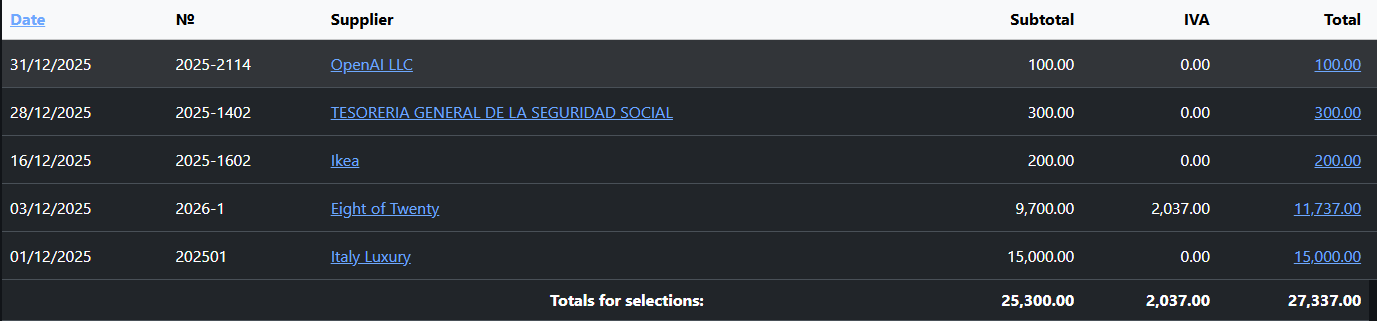
Check all invoices received from EU suppliers. For example, you purchased furniture from an Italian manufacturer not in ROI for €15,000.
| Supplier / Country | Amount (€) | Include in Modelo 349? |
|---|---|---|
| Italian furniture manufacturer NOT in ROI | 15,000 | No – include in Modelo 347 |
| Spanish supplier | 11,737 | No – domestic transaction, reported in Modelo 303 |
| Ikea Netherlands in ROI and Reverse Charge | 200 | Yes – intra-community purchases |
| OpenAI LLC | 100 | No – non-EU operation |
3️⃣ Create a new Modelo 349 declaration
Select the reporting period and click Recalculate. The declaration will be filled automatically.
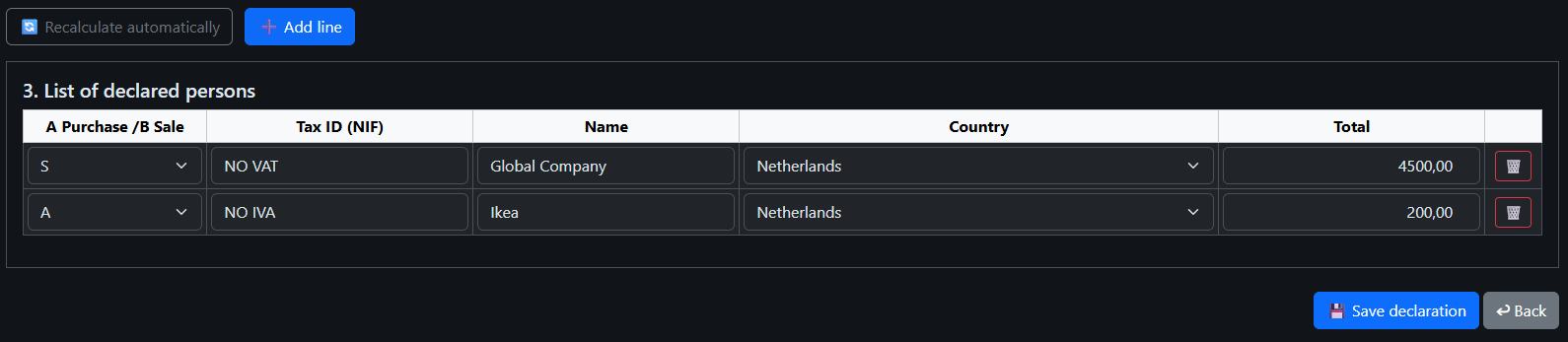
Review all data carefully. Add or edit entries if necessary. Save the declaration.
Open declaration and proceed to electronic submission.


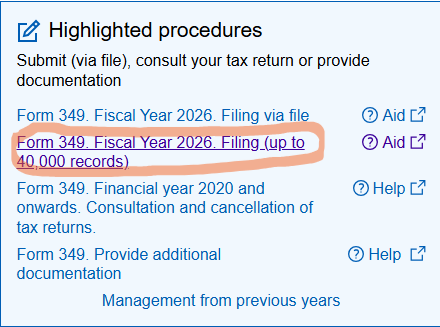
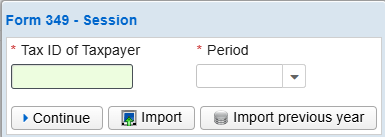
4️⃣ Fill in required fields
- Enter your NIE/NIF and personal data.
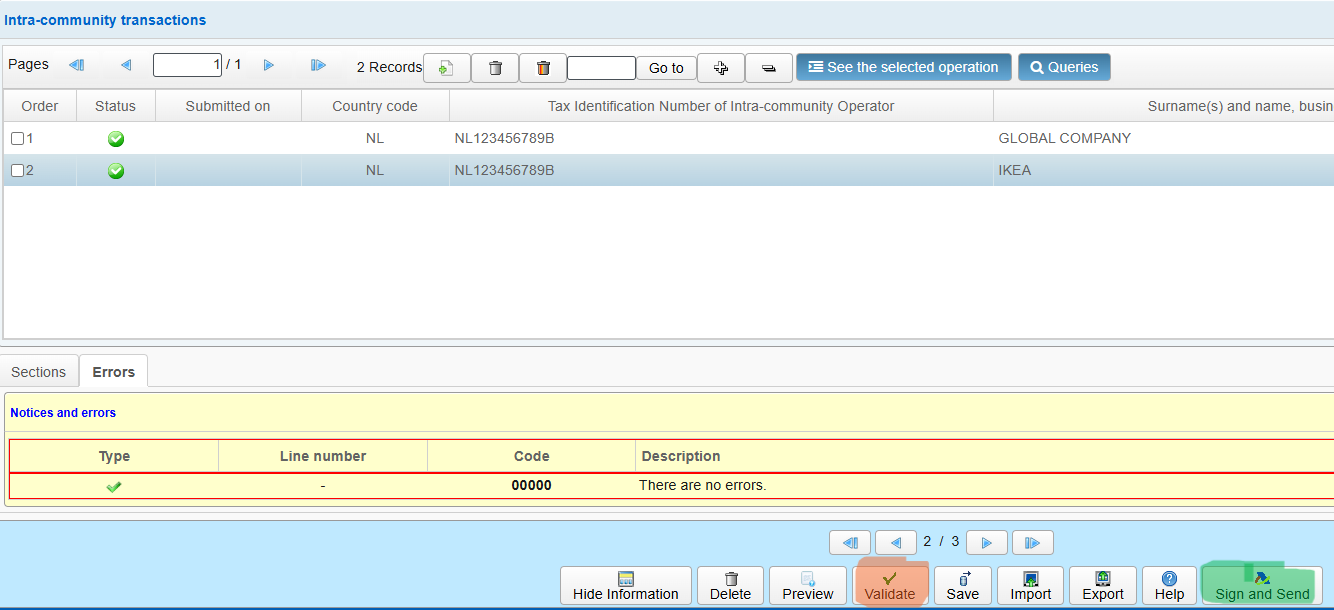
- Go to page 2 and add the records
- Add service sales with Operation code S.
- Add purchases goods with Operation code A.
- Validate the form and ensure all mandatory fields are completed.
- Submit and sign electronically.
- Download the PDF confirmation file.