🚀 We will submit your Modelo 303 online in just 5 minutes via remote access
How to submit Modelo 303
Introduction
Modelo 303 is the quarterly VAT (IVA) declaration that self-employed individuals (autonomos) and companies must submit if they carry out operations subject to VAT in Spain.
The declaration period is quarterly: January–March, April–June, July–September, and October–December. Deadlines for submission are generally the 20th day of the month following the end of the quarter.
Payment, if applicable, must be made by the same date. If there is a VAT refund, it can be claimed in the declaration and will be reimbursed by Agencia Tributaria.
1️⃣ Step
To understand how to calculate IVA, let's look at the following tables. They show how your ROI registration and the client type affect the tax applied.
IVA and Reverse Charge rules for your clients depending on ROI registration
| Client / Country | ROI registered? | Reverse Charge | IVA | Explanation |
|---|---|---|---|---|
| Espana (ES) | Yes / No | No | 21% | Sales within Spain always include IVA |
| Espana (ES) | Yes / No | Yes | 21% | Rare cases, usually special operations |
| EU | Yes | Yes | 0% | Reverse Charge applies, VAT is paid by customer |
| EU | Yes | No | 21% | If Reverse Charge not applied, VAT must be charged |
| EU | No | No | 21% | Not registered in ROI → VAT must be charged |
| USA / Other | Yes / No | No | 0% | Outside EU, VAT is not charged |
How ROI registration and Reverse Charge affect IVA for different clients
ROI: Yes / No
ROI: Yes
Reverse Charge: Yes
IVA: 0%
ROI: No
Reverse Charge: No
IVA: 21%
IVA applies
IVA: 21%
IVA: 0%
2️⃣ Step
Let's see some examples. Suppose our autonomo is registered in ROI. 1. Invoice a client from the Netherlands for €4,500, also registered in ROI → IVA 0%, automatically shown in the invoice.
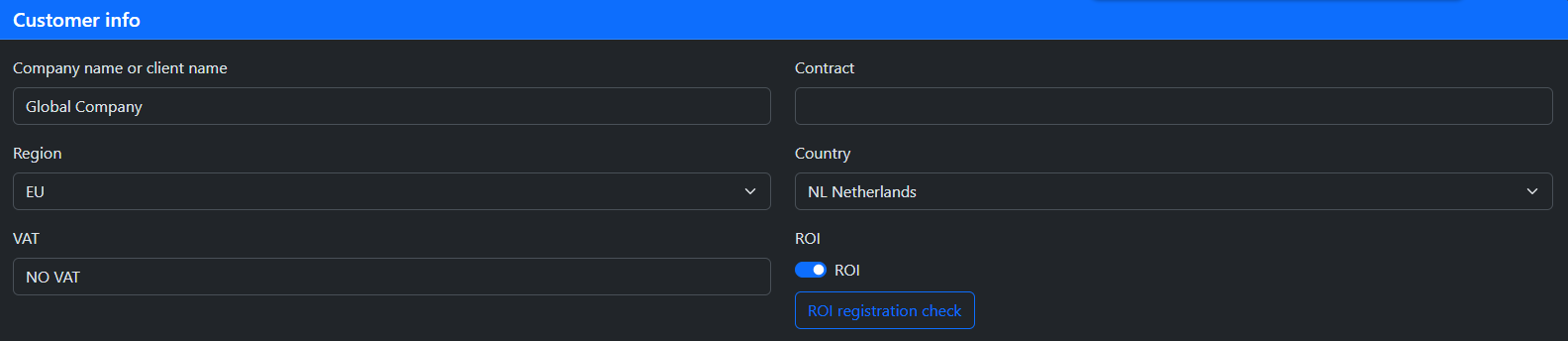

2. Invoice a client from Spain for €1,000 → IVA 21%, automatically indicated in the invoice.

3. Invoice a client from the USA for €19,000 → IVA 0% (our ROI registration does not matter in this case), also shown in the invoice.

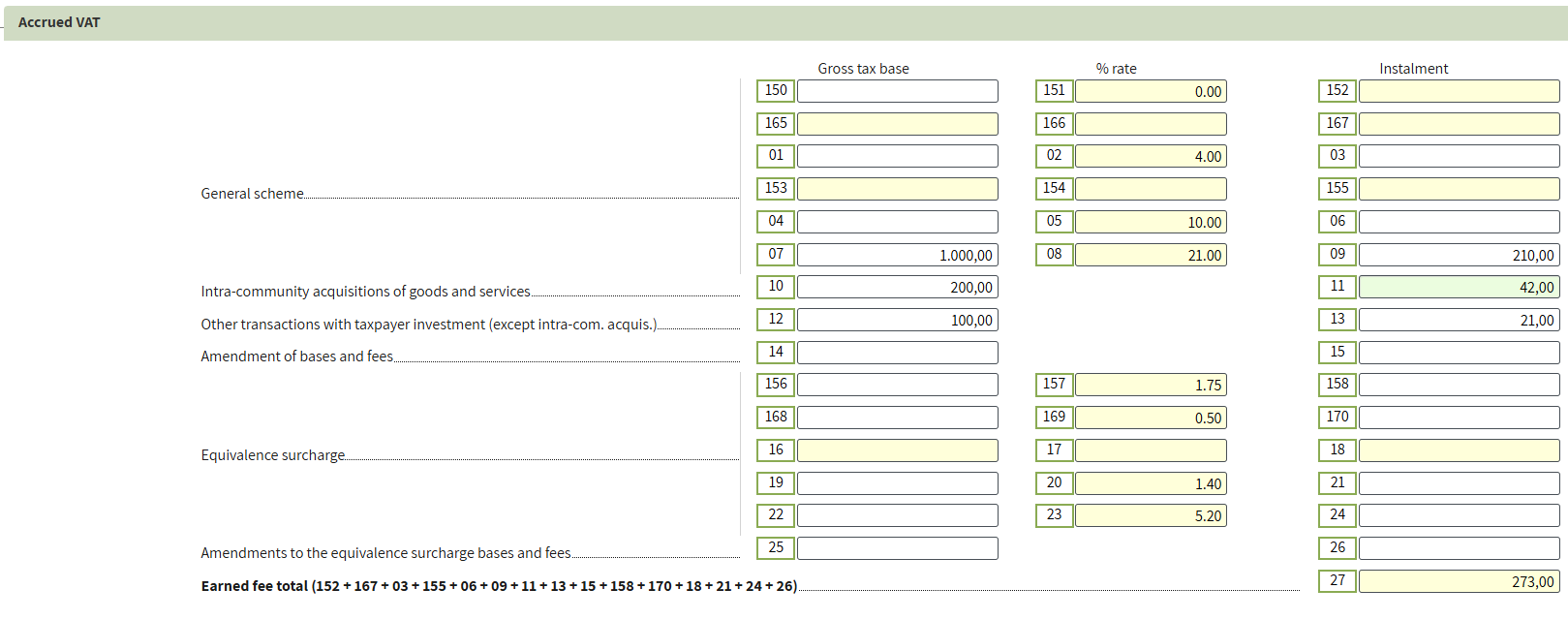
In total, we invoiced €24,710. Of this amount, IVA accounted for €210.

All sales can also be seen in the Income Ledger.

3️⃣ Step
Now let’s analyse purchases. In the same way as with sales, we will determine how invoices are received and how IVA is applied in each case.
How IVA works for purchases depending on supplier and ROI registration
Supplier in Spain
IVA: 21% deductible
Expenses including VAT.
Our autonomo is registered in ROI
Supplier ROI: Yes
Reverse Charge applies
IVA self-accounted and deductible
Expenses including VAT.
Our autonomo ROI: No or Supplier ROI: No
Foreign VAT applies
Not deductible in Spain
Expenses fully deductible including VAT
IVA: 0%
No IVA charged
Expenses fully deductible including VAT
We will now analyse each case separately.
1. For software development, you paid an external developer €9,700 in Spain

The transaction is automatically allocated to boxes 28 and 29 of Modelo 303. For VAT on current internal transactions


2. You purchased a desk from a supplier in the Netherlands for 200 euro. Your autonomo is registered in ROI, and the supplier is also registered in ROI and issued an invoice with Reverse Charge.
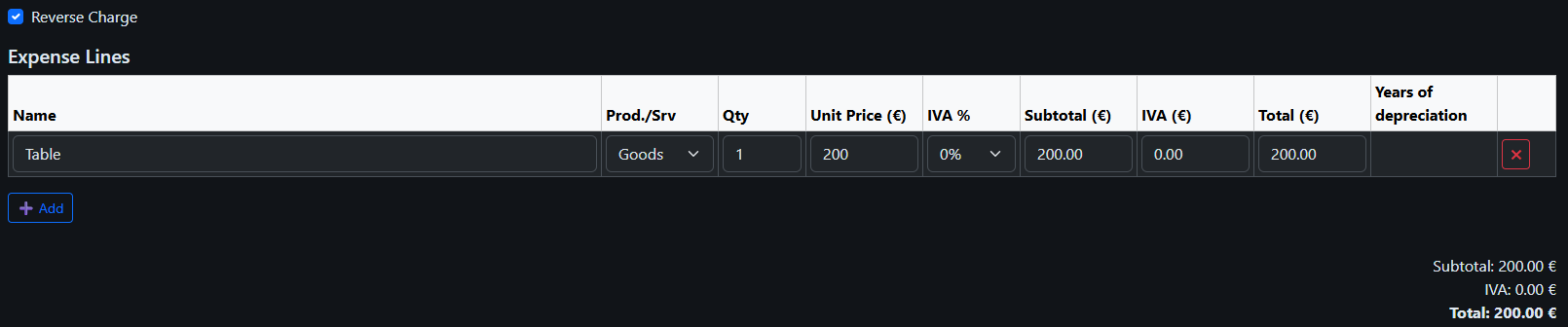
You must self-account VAT at 21% in the amount of €42 and simultaneously deduct it.
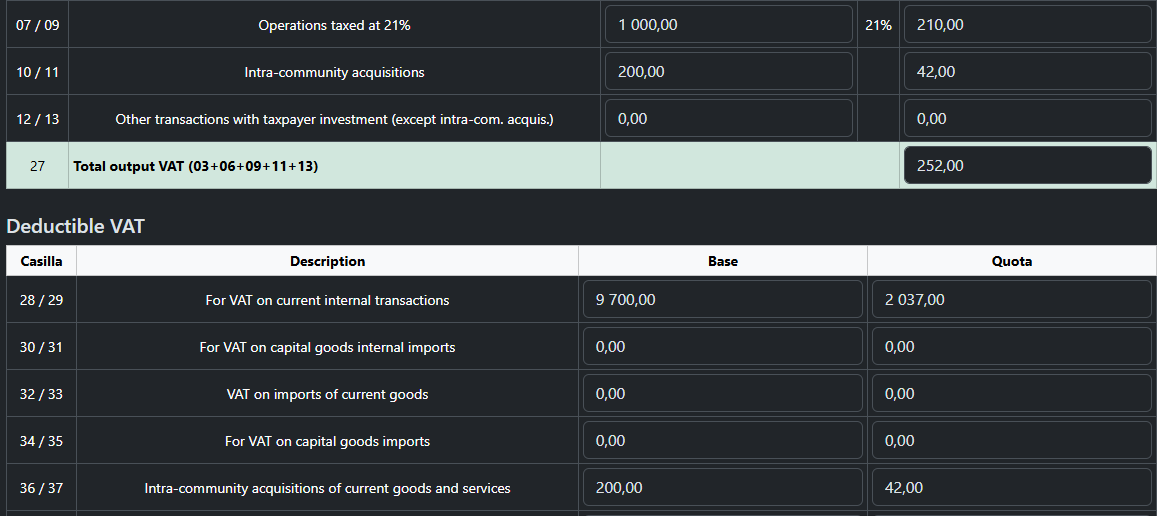
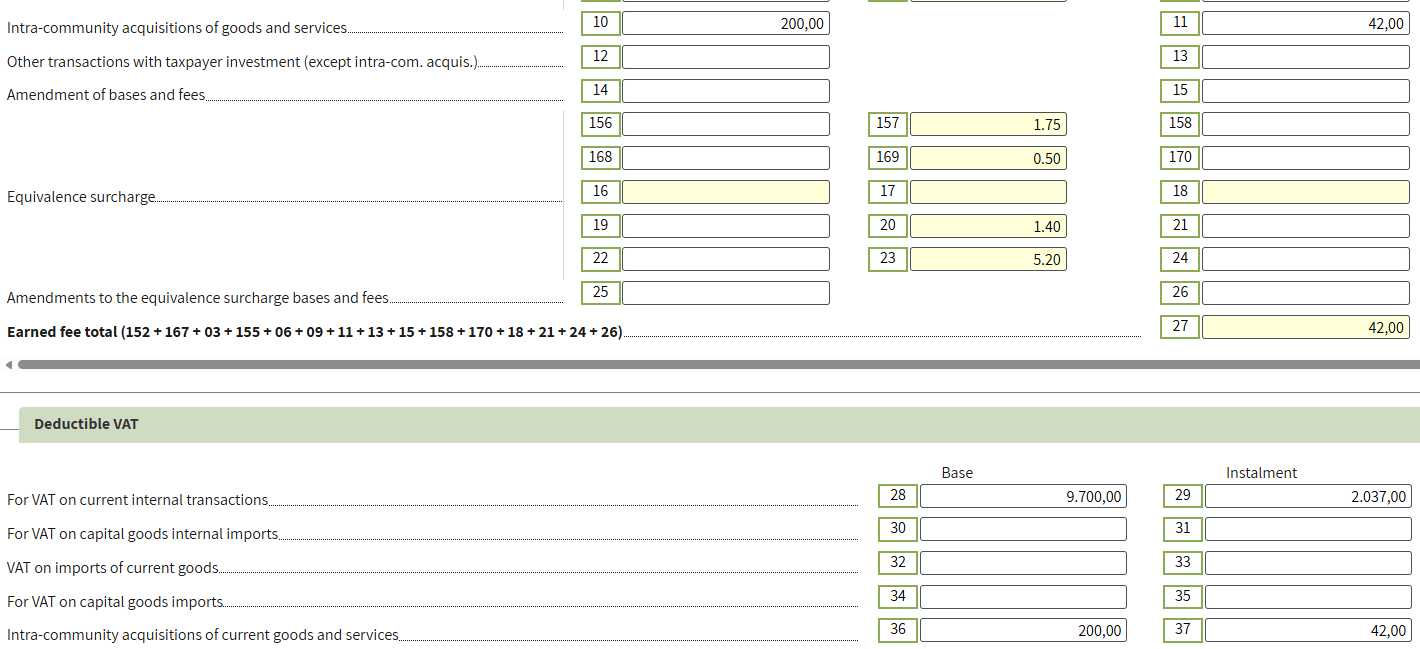
In Modelo 303, the transaction is reflected as follows: Output VAT in boxes 10/11 (Intra-community acquisitions of goods and services) and Input VAT in boxes 36/37 (Intra-community acquisitions of current goods and services).
3. You purchased a ChatGPT subscription for €100 and received an invoice stating “Tax to be paid on reverse charge basis.” Although the company is based in the USA, it is registered under the VAT One Stop Shop (OSS) scheme. The OSS is a VAT system designed to simplify VAT compliance within the EU for companies not established in the EU but supplying services or goods to customers in the EU.
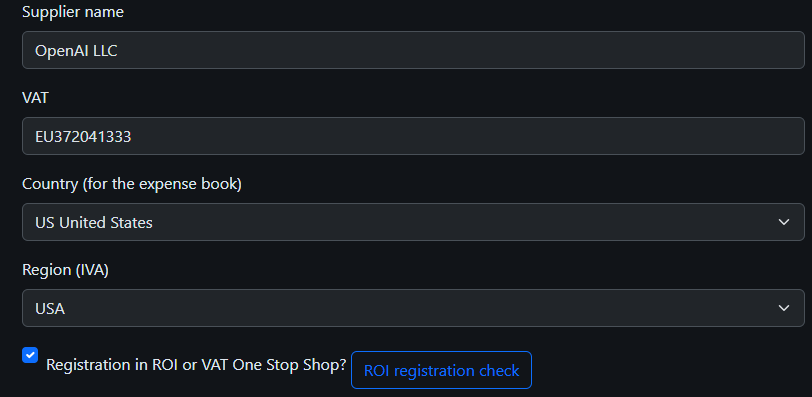
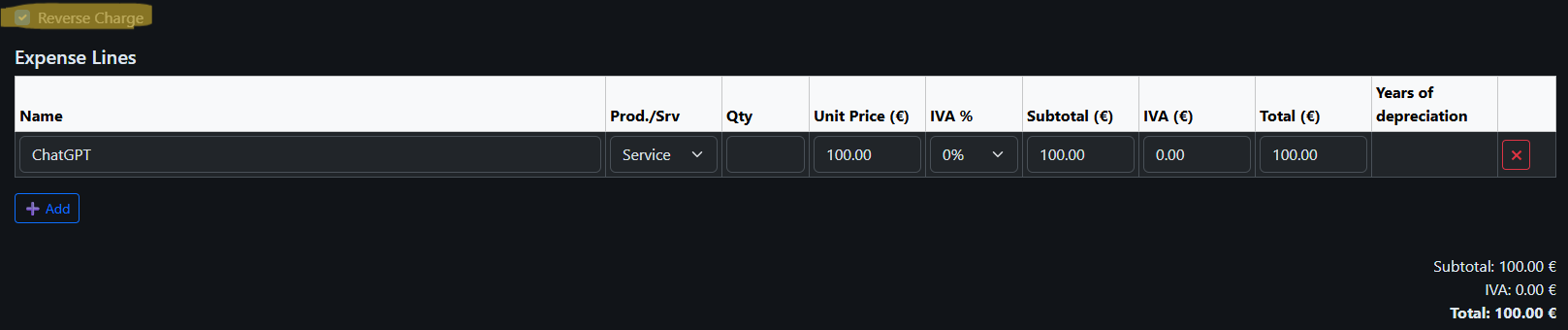
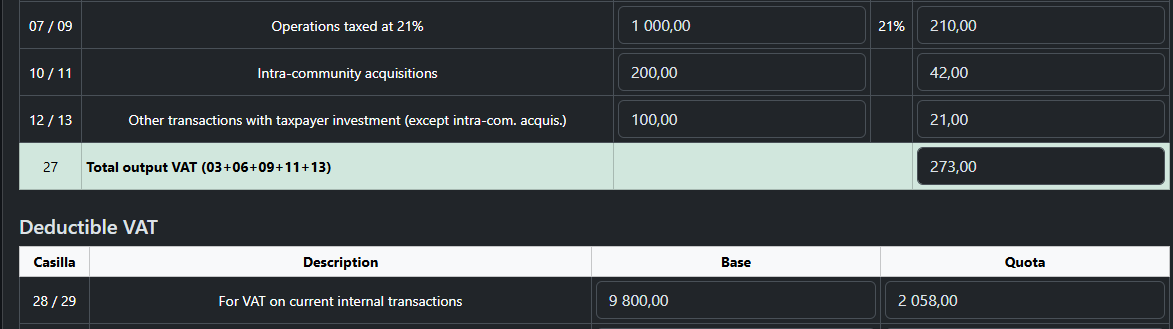
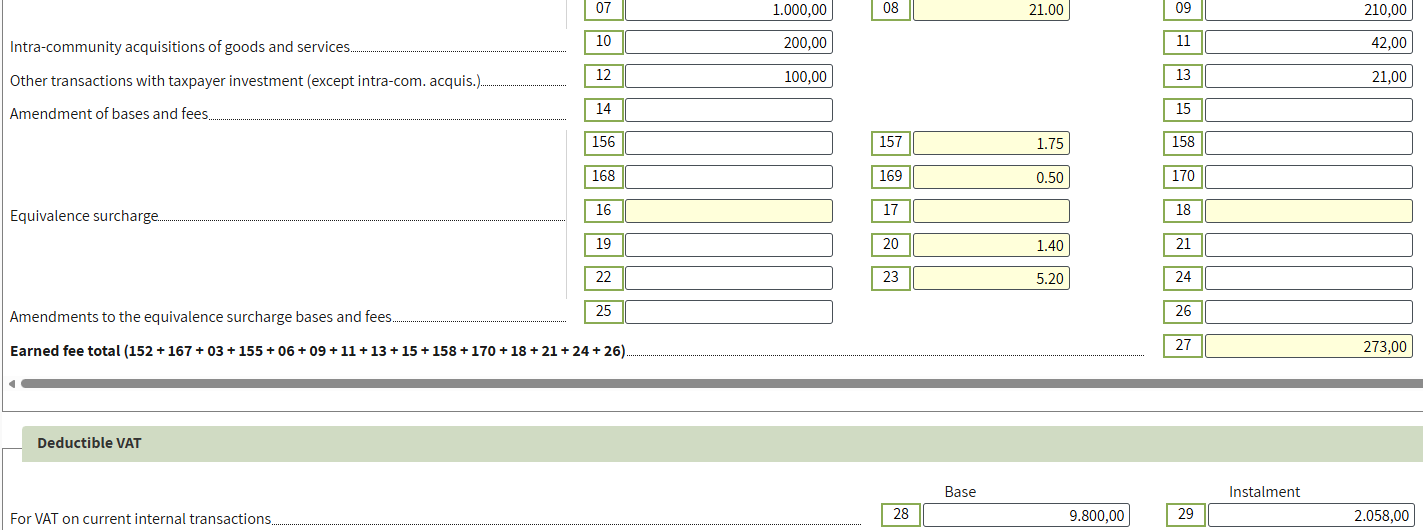
On this amount, you must self-account for VAT at 21% (€21) and claim it as deductible. In the declaration, this operation will be reflected in the following lines: Taxable: 12/13 – Other transactions with taxpayer investment (except intra-community acquisitions); Deductible: 28/29 – VAT on current domestic transactions.
4. If either you or the supplier is not registered in the ROI and the invoice does not include Reverse Charge, the supplier charges VAT (21% in Spain). You can fully expense the cost including VAT. In the declaration, this operation is reflected in the standard VAT lines.
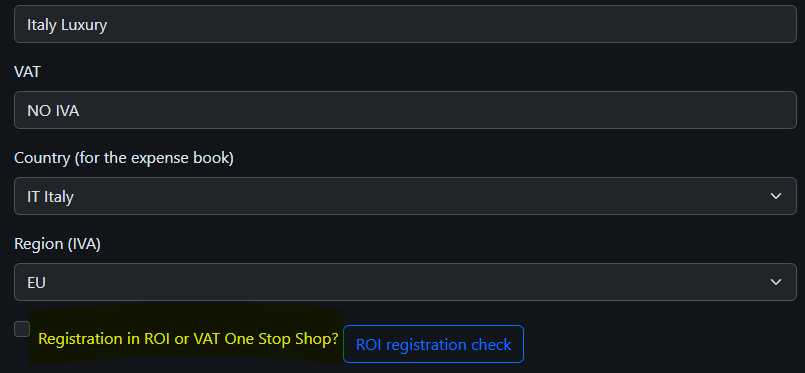
For example, if you purchase a chair from a supplier not registered in the ROI (Italy) for €150, no Italian VAT (22%) is applied; the full amount is recorded as an expense. The same procedure applies for other suppliers from different regions and for invoices without Reverse Charge.
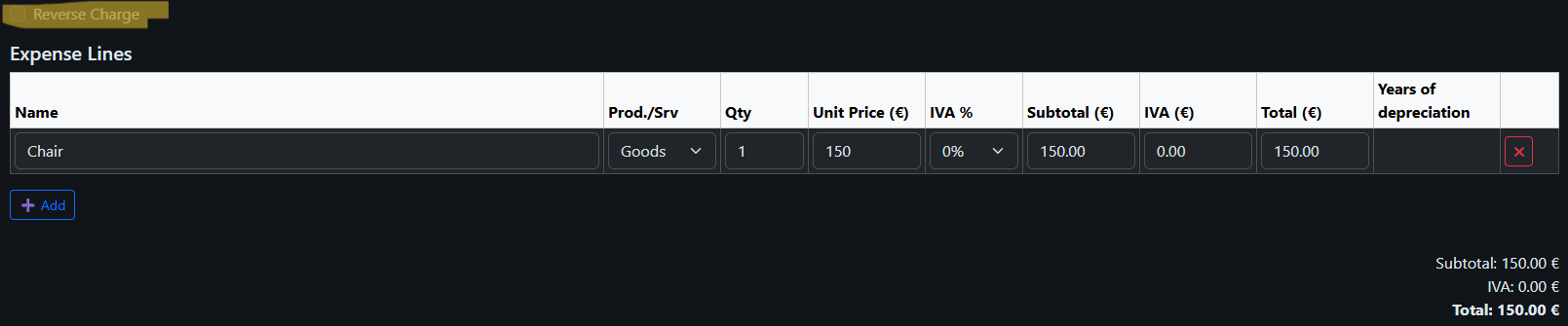
This purchase will be recorded only in box 02 of Modelo 130 at the full invoice amount. No VAT can be deducted.
4️⃣ Step
As a result, the sales picture looks as follows.
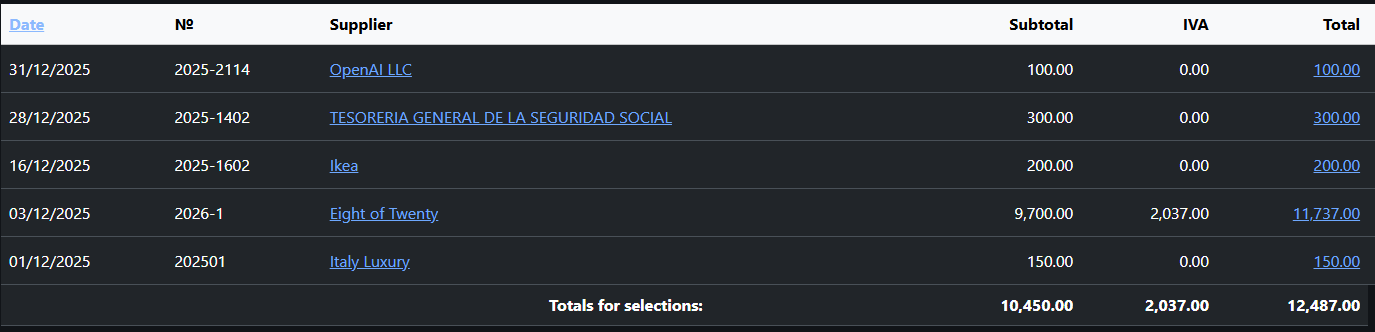
All purchases must be recorded in the Expense Ledger (Libro de Gastos).
 Calculate and save the declaration.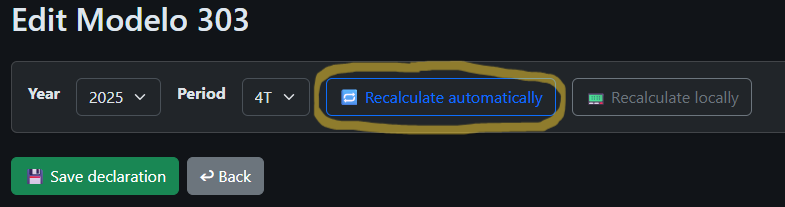
You can: - Print (green button) - Open for review (yellow button) - Proceed to submit (red button)

5️⃣ Step
Save time
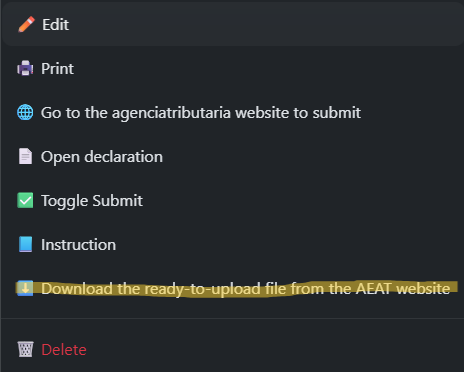
You can always save time and generate a file for upload.
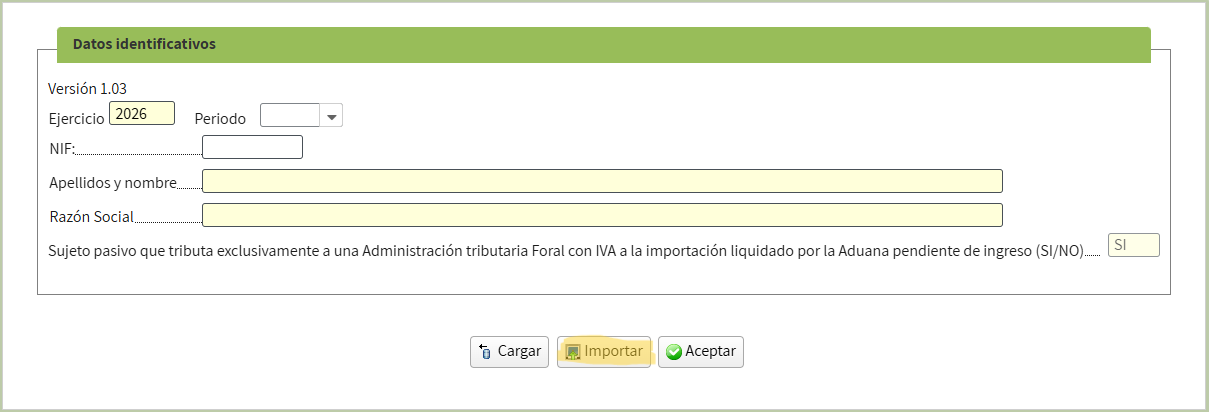
Then import it directly on the tax website.
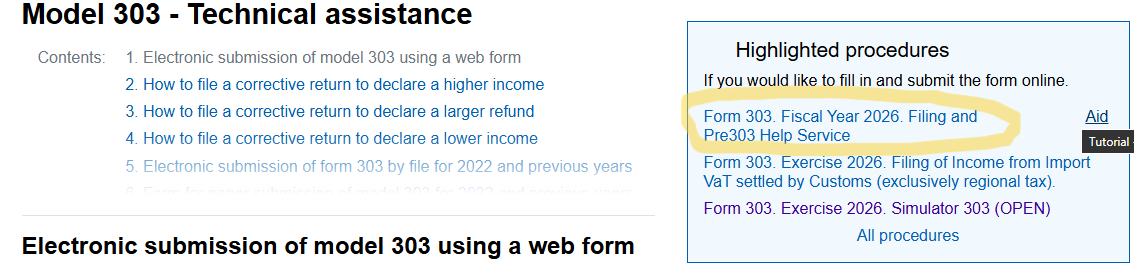
Proceed with electronic submission
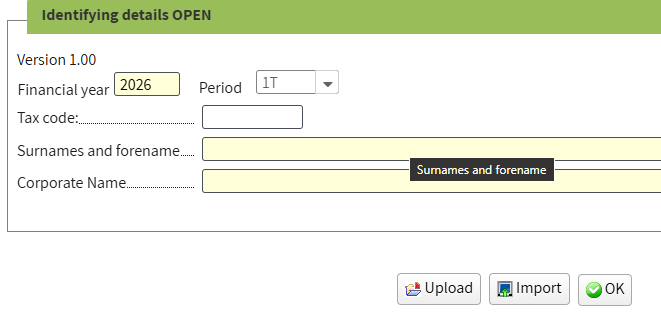
Specify the declaration period and enter the required data
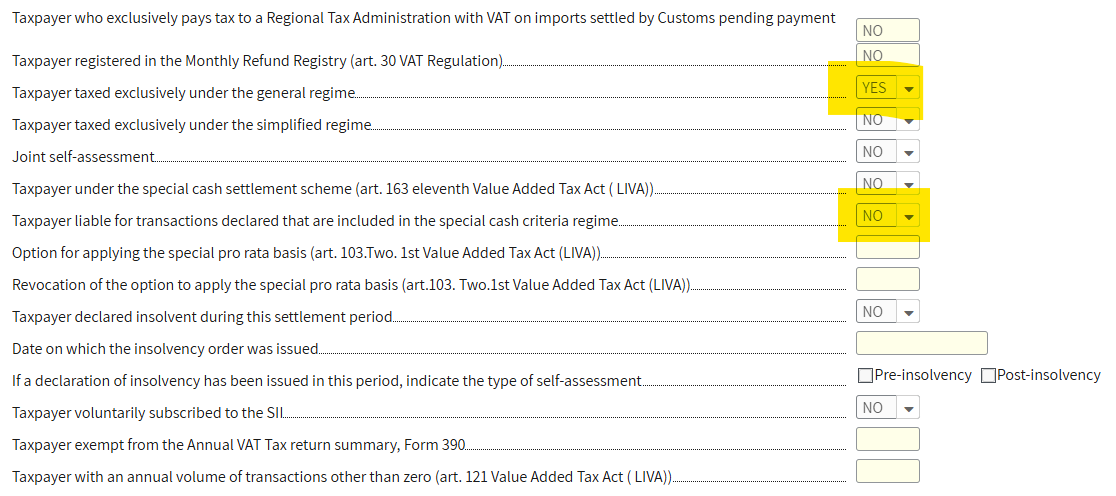
On the first page, select NO in the field Taxpayer liable for transactions declared that are included in the special cash criteria regime; other fields will be filled automatically. If not, verify as shown in the image.
Go to page 2 and fill in the data from your prepared declaration in the Accrued VAT section.

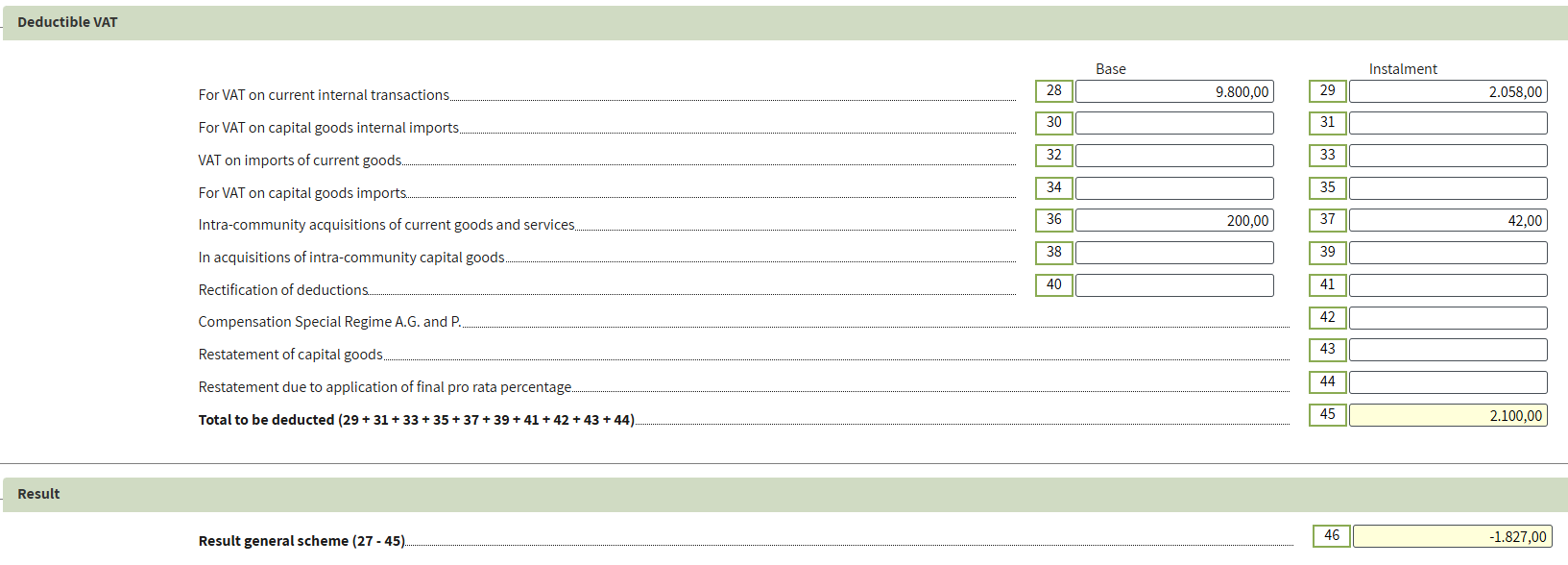
 On the same page, fill in the Deductible VAT section.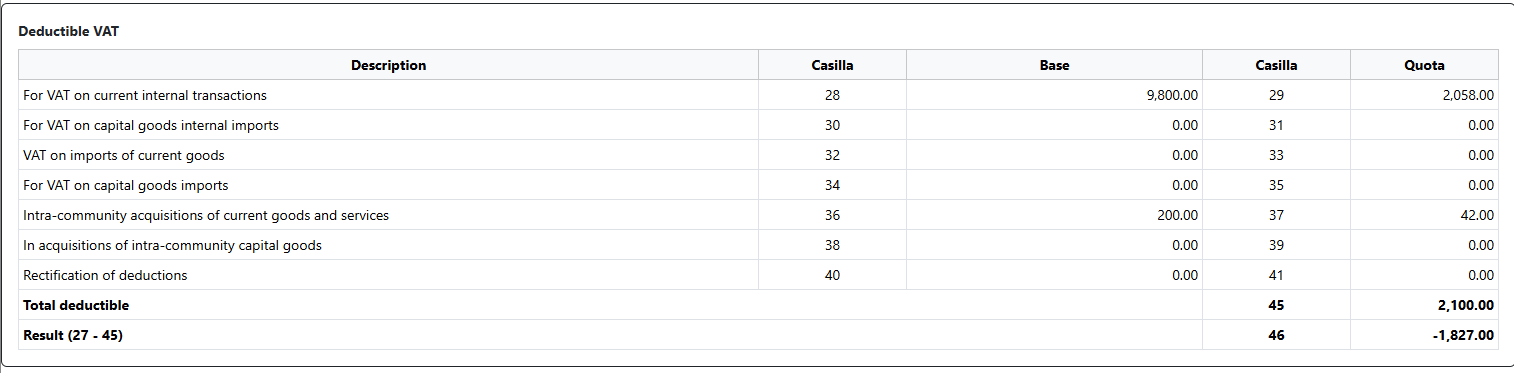
6️⃣ Step
Go to page 3 and fill in the Additional information section.


The amount of the invoice issued to the Netherlands client (€4,500) is included in box 59 Intra - community deliveries of goods and services because this is an EU operation.
The amount of the invoice issued to the USA client (€19,000) is included in box 120 Non - taxable transactions as per location rules(except those included in box 123).
7️⃣ Step
Cross-check the values on page 4 with the amounts in our prepared declaration to ensure consistency.
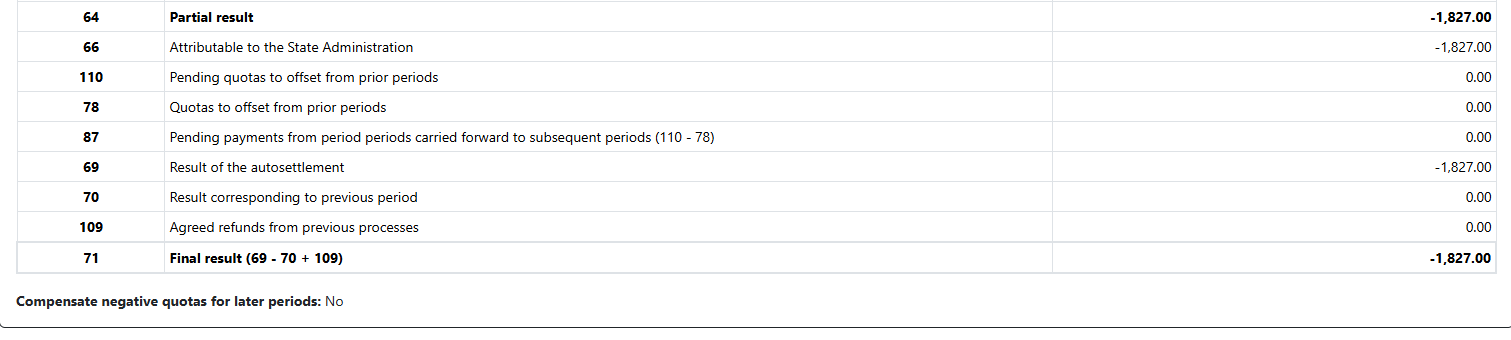
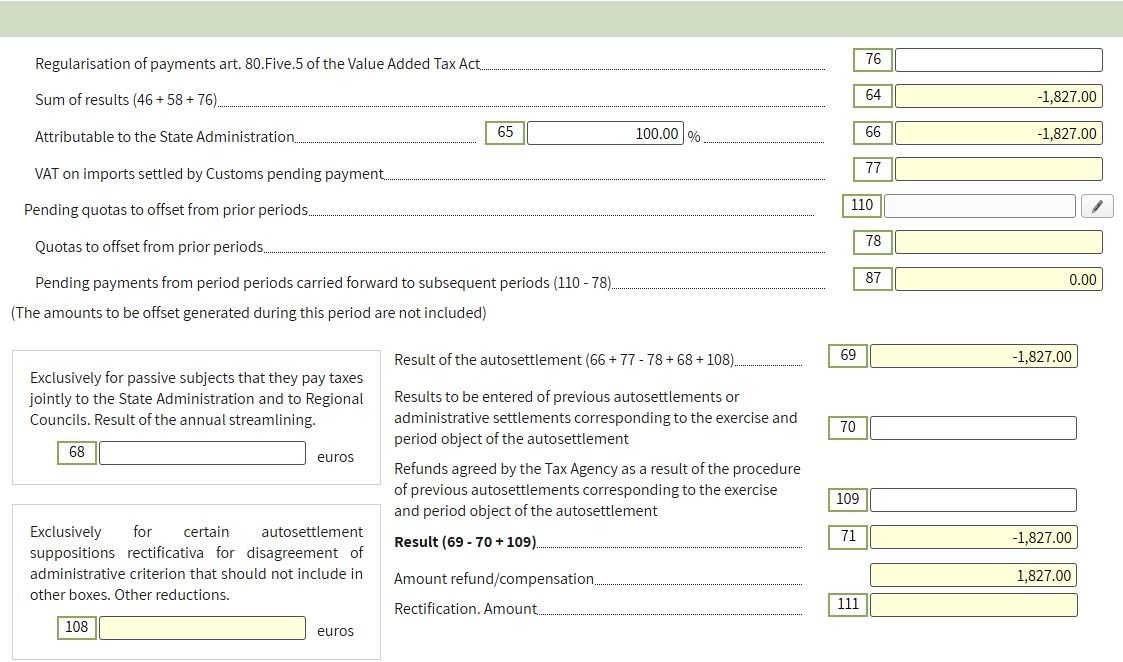
Validate the form and ensure that there are no errors. Warnings may be disregarded.

8️⃣ Step
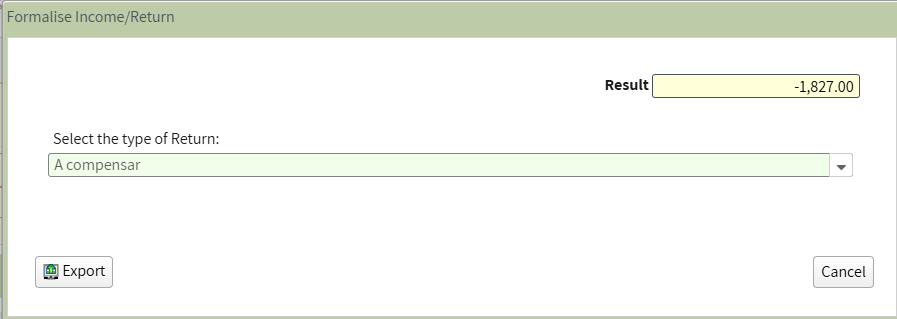
If the result of the declaration is negative, you may choose the VAT refund method. By selecting Compensar, the amount is carried forward and may be offset in subsequent periods.
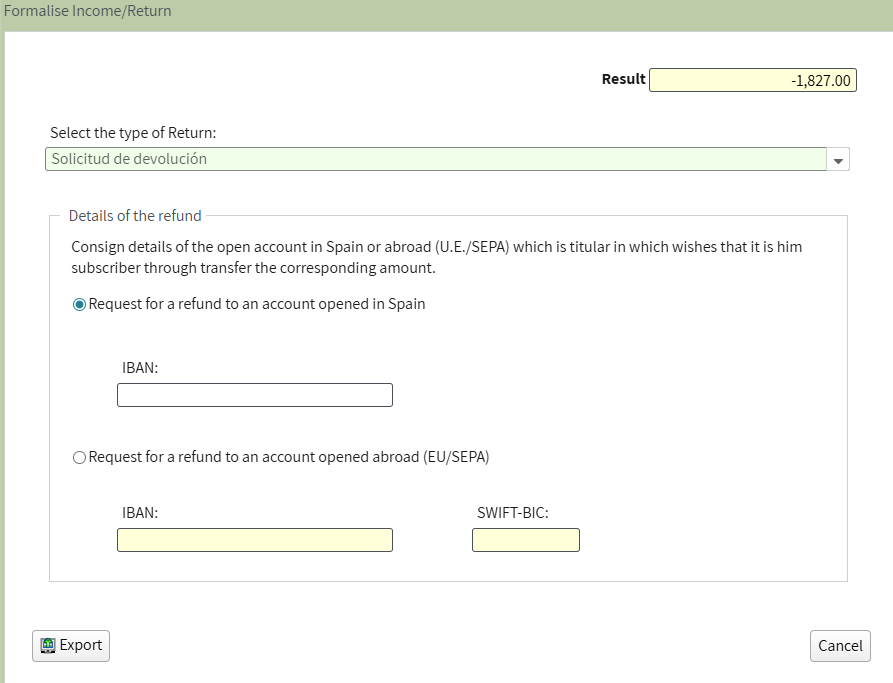
You may request a refund to your bank account by selecting Solicitud de devolución and providing your bank details.
9️⃣ Step
Finally, submit the declaration. The system will automatically generate a PDF file.

🔟 Step
Final summary of Modelo 303: Unlike Modelo 130, Modelo 303 is not filed on a cumulative basis. VAT is calculated as the difference between Accrued VAT (output VAT) and Deductible VAT (input VAT). If the result is positive, the amount must be paid. If the result is negative, it is carried forward to subsequent periods or may be refunded, at your discretion, in the fourth quarter. Accurate bookkeeping in the Income and Expense Ledgers ensures the correct completion of the declaration.
Conclusion: Keep your records organized and accurate, and submitting Modelo 303 becomes effortless. Maximize VAT deductions, avoid errors, and ensure your business stays fully compliant with Spanish tax authorities.